
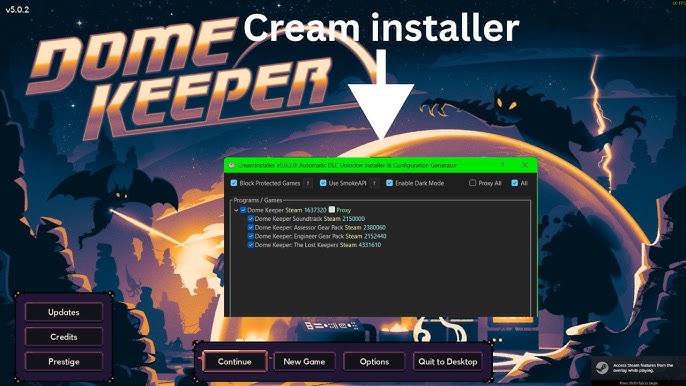
CreamInstaller has become a popular tool among gamers who want to unlock downloadable content in PC games. Many people discover it through online forums, gaming communities, and tutorial videos. Because it interacts with game files and downloadable content, users often wonder whether it is truly safe to install and use on their computers.
The answer is not completely simple. CreamInstaller may appear harmless to some users, but there are several risks connected to security, legality, malware, and account safety. Before downloading or running any third-party gaming tool, it is important to understand how it works and what problems it could cause.
This article explains the safety concerns surrounding CreamInstaller, how antivirus programs react to it, and what users should consider before using it.
What Is CreamInstaller?
CreamInstaller is a third-party utility designed to unlock DLC content in certain PC games. It is commonly associated with Steam games and works by modifying or bypassing certain game checks that normally verify ownership of downloadable content.
Many users are attracted to the software because it promises access to paid game content without purchasing it officially. The program is usually shared through unofficial websites, GitHub repositories, forums, or file-sharing platforms.
Unlike official game launchers or modding tools, CreamInstaller is not supported by game developers or publishers. This alone raises concerns about trust and security.
Why People Question Its Safety
There are several reasons why gamers question whether CreamInstaller is safe to use. The first reason is that it modifies game-related files. Programs that alter software behavior often trigger antivirus warnings because they behave similarly to hacking tools or cracked software.
Another concern is the source of the downloads. CreamInstaller is frequently distributed on unofficial websites where malicious files can easily be hidden inside downloads. Some copies may include malware, spyware, crypto miners, or unwanted software.
There is also the issue of account security. Using unauthorized tools with online gaming platforms can sometimes lead to penalties, account suspensions, or bans.
Because of these factors, users naturally hesitate before installing the program.
Can CreamInstaller Contain Malware?
One of the biggest risks comes from where the file is downloaded. The original tool itself may not always contain malware, but modified versions uploaded by strangers online can be dangerous.
Cybercriminals often take advantage of popular gaming tools by bundling them with harmful software. A fake installer may secretly install:
- Password stealers
- Keyloggers
- Adware
- Trojans
- Cryptocurrency miners
Many users searching for free game content lower their security guard, making them easy targets for infected downloads.
Even if one version appears clean, another upload on a different website may not be safe at all.
Why Antivirus Programs Detect It
Some antivirus applications flag CreamInstaller as suspicious. This does not automatically mean the software is a virus, but it does indicate risky behavior.
Programs that modify files, bypass protections, or interact with DRM systems often trigger security alerts. Antivirus tools are designed to detect software that behaves similarly to hacking tools, cracks, or exploits.
In some cases, the detection may be classified as:
- HackTool
- GameHack
- Riskware
- Potentially Unwanted Program
These warnings exist because such software can be used in harmful ways or may expose users to security threats.
Ignoring antivirus alerts without proper research can be risky.
Is It Legal to Use?
CreamInstaller exists in a legal gray area, but in many cases its use may violate software terms of service or copyright protections.
Game publishers sell DLC as paid content. Unlocking it without purchasing may break platform rules or licensing agreements. Even if local laws vary by country, using tools that bypass ownership checks can create legal concerns.
Most gaming companies clearly state that modifying their systems or accessing paid content without authorization is prohibited.
While individual users are not always targeted legally, there is still a risk involved.
Can It Get Your Account Banned?
There is always a possibility of account penalties when using unofficial tools with online services.
Platforms like Steam monitor suspicious behavior, especially in multiplayer or online-connected games. Some games also use anti-cheat systems that can detect unauthorized modifications.
Possible consequences may include:
- Temporary account restrictions
- Multiplayer bans
- Game-specific penalties
- Permanent account suspension in severe cases
Although many users claim they used CreamInstaller without problems, that does not guarantee safety for everyone. Policies can change, and detection systems improve over time.
Using unofficial software always carries some level of account risk.
Privacy and Security Concerns
Another overlooked issue is privacy. When users download unknown executables from unofficial sources, they cannot always verify what the software is doing in the background.
Some dangerous programs silently collect information such as:
- Saved passwords
- Browser data
- Gaming account credentials
- Personal files
Gamers often store payment methods and valuable game libraries on their systems. A compromised computer can lead to financial loss or stolen accounts.
This is why cybersecurity experts usually recommend caution when downloading unofficial gaming tools.
How to Reduce the Risks
If someone still decides to use CreamInstaller despite the warnings, there are several precautions that can reduce the chances of problems.
Downloading only from trusted and well-known sources is important. Users should avoid random file-sharing sites or suspicious advertisements.
Scanning files with antivirus software before opening them can help identify obvious threats. Keeping Windows Defender or another reputable security program active is also recommended.
Using the software inside a virtual machine or secondary test system can add another layer of protection. This prevents unknown programs from accessing important personal files.
Regular backups are useful as well. If something goes wrong, backups make it easier to restore the system.
Even with these precautions, no unofficial tool can ever be considered completely risk-free.
Are There Safer Alternatives?
For gamers who want additional content without security risks, official options are usually the safest choice.
Buying DLC directly from legitimate stores ensures:
- Full game compatibility
- Official updates
- No malware concerns
- Account safety
- Developer support
Some games also offer free mods through official modding communities or Steam Workshop. These provide extra content legally and with far lower security risks.
Waiting for seasonal sales can also make DLC much cheaper. Steam, Epic Games Store, and other platforms regularly offer discounts on expansions and downloadable content.
Community Opinions About CreamInstaller
Online opinions about CreamInstaller are mixed. Some users say they have used it for years without issues, while others report malware infections or account problems after downloading unofficial versions.
The gaming community is divided because experiences vary depending on where the file came from and how it was used.
One important thing to remember is that positive experiences from strangers online do not guarantee safety. A program that works fine for one person could still harm another user through a modified installer or infected download.
Trusting random internet comments alone is never the best security strategy.
Final Thoughts
CreamInstaller may work for unlocking DLC content, but calling it completely safe would be misleading. The software carries several risks involving malware, account security, legality, and privacy.
The biggest danger usually comes from unofficial download sources, where infected versions can spread easily. Antivirus warnings, potential bans, and security concerns are all important factors users should consider before installing the tool.
For people who value account safety and system security, official purchases and trusted modding platforms remain the safer option. While some users may use CreamInstaller without immediate problems, there is always a level of risk attached to unofficial gaming software.
In the end, whether it is “safe enough” depends on how much risk a user is willing to accept.
